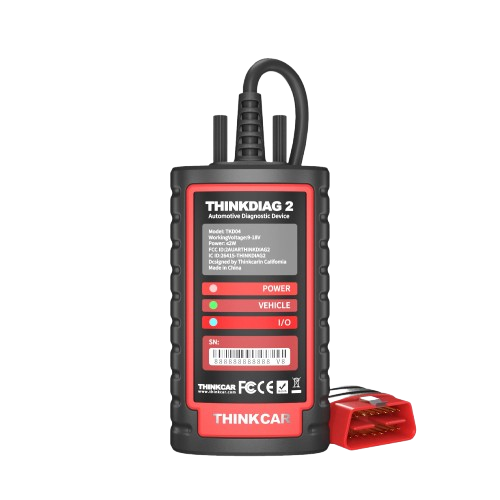
Key Features
-
OE-level full-system diagnostics on
supported vehicles.
-
Read and clear diagnostic trouble codes.
-
View live data from multiple control modules.
-
Bi-directional / active tests on supported
systems.
-
ECU coding and adaptation functions where
supported.
-
AutoVIN vehicle identification on compatible
vehicles.
-
IMMO and key-related functions on supported
vehicles.
-
CAN-FD protocol support for newer vehicle
platforms.
-
15+ maintenance and service functions,
depending on vehicle coverage.
CAN-FD Support
ThinkDiag 2 supports CAN-FD communication,
making it suitable for diagnostics on many
newer vehicle platforms that use the newer
protocol.
CAN-FD support does not guarantee every module
or advanced function is available on every
newer vehicle.
Bi-Directional Control
On supported vehicles, active tests can command
components directly from the diagnostic app.
Available active tests vary by manufacturer,
model, year and control module.
Advanced Functions
- ECU coding.
- Adaptation and matching.
- IMMO / key matching.
- Oil reset.
- EPB reset.
- DPF regeneration.
- SAS calibration.
- ABS bleeding.
- Injector coding.
- TPMS reset.
These functions are vehicle-dependent. Confirm
any specific function with Kopech before
purchasing.
Connection & Platform
-
Device type
Bluetooth OBD2 adapter
-
Bluetooth
Bluetooth 5.0
-
Protocol support
OBD2 + CAN-FD
-
Interface
ThinkDiag mobile app
-
Vehicle identification
AutoVIN supported
How It Works
-
Install the ThinkDiag application on a
compatible smartphone.
-
Sign in or create a THINKCAR account.
-
Activate the ThinkDiag 2 device.
-
Connect it to the vehicle's OBD2 port.
-
Pair the device with the phone through
Bluetooth.
-
Identify the vehicle and select the required
diagnostic or service function.
Software & Subscription
ThinkDiag 2 uses THINKCAR's software platform.
THINKCAR currently offers separate software
renewal options for this device.
The exact activation period, manufacturers,
advanced functions and renewal terms depend on
the package supplied with the unit. Contact
Kopech to confirm the software entitlement for
the unit being sold.
Best For
-
Professional and mobile technicians.
-
Small automotive workshops.
-
Advanced DIY users.
-
Users working with newer CAN-FD vehicles.
-
Users who want deeper diagnostics without
carrying a dedicated scan tablet.