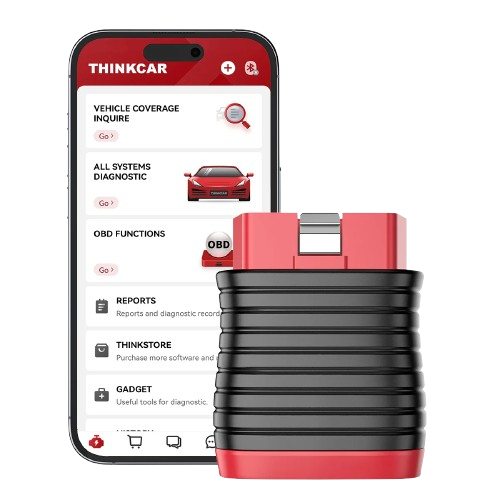
Key Features
-
OE-level full-system diagnostics on supported
vehicles.
-
Read and clear fault codes from supported
electronic control modules.
-
View live data streams and diagnostic reports.
-
AutoVIN identification on compatible vehicles.
-
Full standard OBD2 diagnostic functions.
-
Bluetooth smartphone connection through the
ThinkDiag+ app.
-
Five service/reset functions available for
lifetime use.
-
Lifetime software updates with no recurring
subscription fee for the included BD6 functions.
5 Lifetime Service Functions
- Oil service reset.
- Electronic parking brake reset.
- ABS bleeding.
- IMMO key programming.
- Throttle adaptation.
Individual service functions remain vehicle-dependent.
A listed function does not guarantee support on every
make, model, year or ECU.
Full-System Diagnostics
On supported vehicles, BD6 can access modules beyond
the engine system, including systems such as:
- Engine / ECM.
- Transmission / TCM.
- ABS.
- SRS / airbag.
- Body control modules.
- Battery management.
- TPMS.
- Steering angle systems.
- Lighting and other supported modules.
Diagnostic Data
- Live-data stream viewing.
- Live-data graphing.
- Diagnostic data recording.
- Vehicle health reports.
- Online diagnostic feedback.
Phone Compatibility
-
Connection
Bluetooth
-
App
ThinkDiag+
-
Android
Android 5.0+
-
iPhone / iOS
iOS 9.0+
-
Vehicle interface
OBD2
How It Works
-
Install the ThinkDiag+ app on a compatible
smartphone.
-
Create or sign in to a THINKCAR account.
-
Activate the BD6 using the device information.
-
Plug BD6 into the vehicle's OBD2 port.
-
Connect to the adapter through Bluetooth.
-
Identify the vehicle and begin diagnostics.
Vehicle Coverage
THINKCAR currently advertises coverage across more
than 100 major vehicle manufacturers, with additional
models added through software updates.
Module coverage and service functions vary by vehicle.
Send Kopech your make, model, year and required
function if compatibility is important before
purchase.
Lifetime Updates
THINKCAR currently advertises BD6 with free lifetime
software updates and no subscription fee for its
included diagnostic and five reset functions.
Manufacturer software policies may change in the
future. This description reflects THINKCAR's current
BD6 offering.
Best For
- Vehicle owners performing regular diagnostics.
- DIY mechanics.
- Mobile technicians.
- Small automotive workshops.
-
Users who want full-system scanning without an
ongoing software subscription.