Key Features
-
Full-system diagnostics on supported vehicles,
including major electronic control modules.
-
Read and clear diagnostic trouble codes.
-
View and graph live vehicle data.
-
Bi-directional / active testing on supported
vehicle systems.
-
Auto VIN identification on compatible vehicles.
-
Maintenance and service functions supported
through the ThinkDiag platform.
-
ECU coding, adaptation and matching functions
on supported makes and models.
-
Smartphone-based operation through Bluetooth.
Advanced Functions
Depending on the vehicle, ThinkDiag can support
professional functions such as active tests,
adaptation, ECU coding and key-related functions.
Advanced functions vary substantially by vehicle
manufacturer, model, year, ECU and software package.
Contact Kopech before ordering if you need a specific
coding, programming, reset or active-test function.
Vehicle Coverage
THINKCAR lists broad multi-brand vehicle coverage
for the ThinkDiag platform, including most modern
OBD2-compliant passenger vehicles.
Coverage does not mean every function is available
on every vehicle. Send Kopech your vehicle make,
model, year and required function for confirmation.
Technical Specifications
-
Connection
Bluetooth
-
Vehicle interface
OBD2
-
Working voltage
9–18 V
-
Working current
≤ 250 mA
-
Operating temperature
-10°C to 50°C
-
Storage temperature
-20°C to 60°C
How It Works
-
Install the ThinkDiag+ application on a
compatible smartphone.
-
Create or sign in to your THINKCAR account.
-
Activate the diagnostic device using its
supplied activation information.
-
Plug the adapter into the vehicle's OBD2 port.
-
Connect the phone to the adapter via Bluetooth.
-
Identify the vehicle and select the required
diagnostic software or function.
Software & Subscription
ThinkDiag operates through THINKCAR's diagnostic
software platform. Available manufacturers,
maintenance functions and advanced features can
depend on the software package associated with the
device.
Kopech does not recommend purchasing based only on
a feature list found online. Confirm your required
vehicle and function with us so we can verify what
is included with the exact unit being sold.
What's Included
-
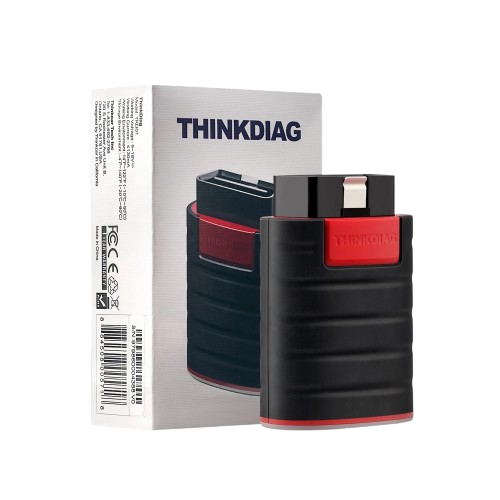
THINKCAR ThinkDiag diagnostic adapter.
-
Device activation information.
-
Product packaging and supplied quick-start
materials where applicable.
Package contents can vary by production revision
or bundle. Contact Kopech if you require exact
confirmation before purchase.
Best For
-
Independent automotive technicians.
-
Repair workshops needing portable diagnostics.
-
Mobile mechanics.
-
Advanced DIY users requiring more than basic
code reading.
-
Technicians who need active tests and deeper
module access on supported vehicles.
Need a specific professional function?
Send us your vehicle make, model, year and the exact
function you need — for example ABS bleeding, injector
coding, active testing or ECU coding — before ordering.
Check Compatibility on WhatsApp →