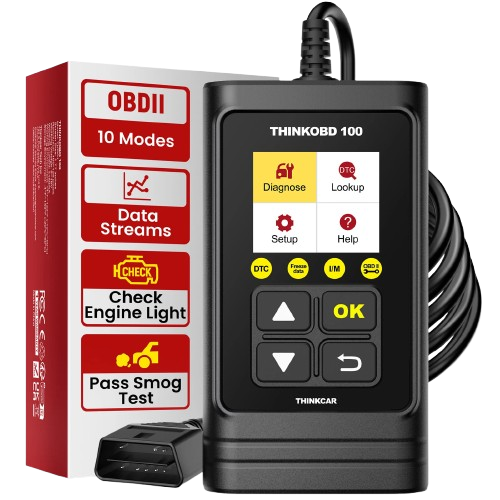
Key Features
-
Read OBD2 diagnostic trouble codes.
-
Clear engine fault codes and turn off the
check-engine light after the underlying
problem has been corrected.
-
View live OBD2 data.
-
View freeze-frame information.
-
Check I/M readiness status.
-
Perform O2 sensor tests where supported.
-
Perform EVAP system tests where supported.
-
View vehicle information.
-
Built-in DTC code lookup.
-
Plug-and-play operation with no mobile app.
Best Use
ThinkOBD100 is ideal for basic engine and
emissions-related diagnostics.
- Check-engine light diagnosis.
- Reading and clearing OBD2 codes.
- Emissions readiness checks.
- Monitoring basic live vehicle data.
- DIY vehicle troubleshooting.
What It Does Not Replace
ThinkOBD100 is not intended to replace a
full-system professional scan tool.
It is mainly designed for standard OBD2 engine
and emissions diagnostics. It should not be
purchased for advanced ABS, airbag, transmission,
ECU coding, key programming or bi-directional
testing requirements.
Full OBD2 Functions
- Read codes.
- Erase codes.
- Live data.
- Freeze frame.
- I/M readiness.
- O2 sensor test.
- On-board monitor test.
- EVAP system test.
- Vehicle information.
- DTC lookup.
Technical Specifications
-
Display
1.77-inch
-
Resolution
160 × 128
-
Vehicle connection
Wired OBD2
-
Working voltage
9–18 V
-
Working current
≤ 250 mA
-
Operating temperature
-10°C to 50°C
-
Storage temperature
-20°C to 60°C
Vehicle Compatibility
THINKCAR lists ThinkOBD100 for most 1996 and
newer OBD2-compliant vehicles using standard
OBD2 communication protocols.
Compatibility can vary by market and vehicle.
The presence of an OBD2 connector alone does
not guarantee every diagnostic function will
be available.
No Phone or Charging Required
ThinkOBD100 receives power directly from the
vehicle through the OBD2 port.
- No Bluetooth pairing.
- No mobile application required.
- No internal battery to charge.
- No subscription required for normal use.
How It Works
-
Locate the vehicle's OBD2 diagnostic port.
-
Plug in the ThinkOBD100.
-
Turn the ignition on.
-
Select the required OBD2 diagnostic function.
-
Read the results directly on the scanner.
Best For
- Everyday vehicle owners.
- DIY mechanics.
- Used-car inspections.
- Check-engine light troubleshooting.
- Emissions-readiness checks.
-
Technicians needing a simple backup
OBD2 code reader.